SeeSAR
Drug Design Dashboard


 Chemical Space Docking®


GUI
SeeSAR interface
Manually driven by the user from within SeeSAR.
HPSee orchestrates remote compute behind the scenes.
Best for:
Medicinal chemists; interactive, visual work.

API
e.g., Python, Jupyter Notebook
Scripted access to the HPSee API.
HPSee orchestrates the remote heavy-duty compute.
Best for:
Semi- to fully automated workflows.

CLI
Command-line tools
Scripted access via standalone executables.
Full flexibility, full responsibility for execution.
Best for:
Computational experts needing full control.
Control the workflow in the SeeSAR interface while HPSee manages the remote compute.
Automate and integrate C-S-D through Python (e.g., Jupyter) while HPSee manages the remote compute.
Run C-S-D directly from the command line and integrate it into fully customized compute workflows.
On-premises
Managed AWS deployment
Docker Swarm or Slurm
Docker Compose
Scalable deployment via Terraform
Deploy HPSee on your internal infrastructure. Choose a small cluster, a large cluster, or a single dedicated machine according to your workload.
On-premises
Multiple machines
Worker nodes plus a dedicated manager. The manager hosts the API and can also host the database.
Multiple machines
The same cluster architecture, with larger API and database resource allocations to support a larger setup.
One dedicated server
Database, API and worker share the same machine. No separate manager node is needed.
Keep core services continuously available and add AWS Spot workers as compute demand increases, or run HPSee on a dedicated instance.
Managed AWS deployment
Choose your cloud deployment
Up to 300 EC2 instances
In the reported benchmark, C-S-D on REAL Space completed within 9 hours.
Runtime depends on the workload, hardware and configuration.
Additional workers process jobs in parallel, increasing compute capacity and reducing processing time.
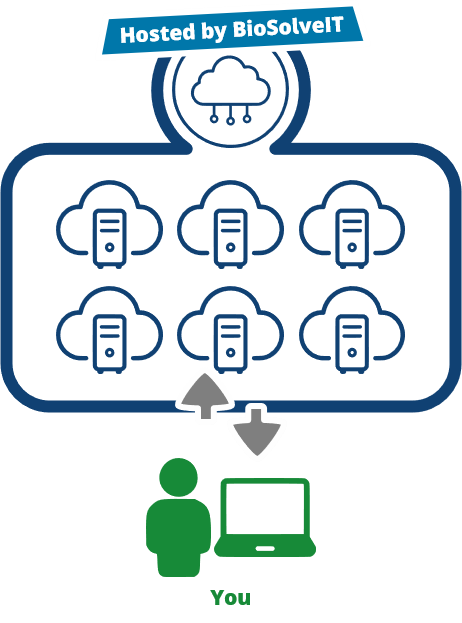
BioSolveIT offers a dedicated, fully pre-configured AWS sub-account for users who would like to evaluate C-S-D.
Designed for Easy Evaluation
Cost & Security Considerations
Screen Chemical Spaces within your own infrastructure, with full control over resources, processing, and data.
Your Infrastructure
Run screening where your compute and data already live.
Your Tools
Integrate custom scripts, models, filters, and third-party software.
Your Workflow
Export and reintroduce data at defined workflow stages.
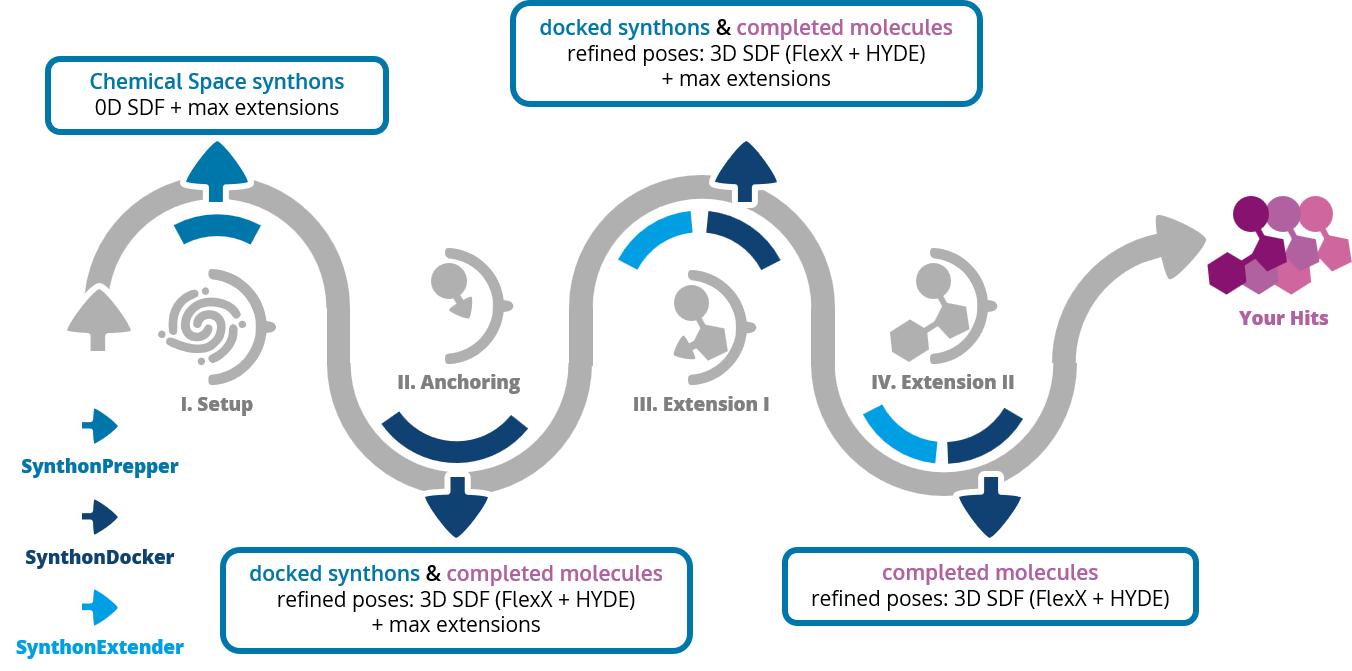
C-S-D Command-Line Tools
SynthonPrepper
Extracts and prepares synthons.
SynthonDocker
Docks and scores synthons.
SynthonExtender
Extends synthons using the chemistry defined in the Chemical Space.
Want an interactive, visual experience?
GUI
Control C-S-D through the SeeSAR interface, with visual interaction at every step.
HPSee manages the compute on your local infrastructure or in the cloud.
Want to automate and customize?
API
Integrate C-S-D into scripted workflows using the HPSee API, for example through Python or Jupyter Notebook.
HPSee manages the compute on your local infrastructure or in the cloud.
Want it running on your own infrastructure?
CLI
Run standalone command-line tools within your own infrastructure, with full control over execution and integration.
No HPSee required. You manage the compute resources and parallelization.
Deployment Options for GUI and API
Locally
Use internal hardware you control.
Cloud
Use external compute resources through AWS.


