RICT 2026 Paris: BioSolveIT Workshop

RICT 2026 in Paris
BioSolveIT Workshop:
"3D Molecular Ideation — and a Jump into Purchasable Space"

Welcome to the BioSolveIT workshop page!
This year, BioSolveIT is excited to contribute to the 60th RICT in Paris with an exciting hands-on learning session with the title "3D Molecular Ideation — and a Jump into Purchasable Space".

Starting from one structure, you will make visually informed decisions on modifications to improve ΔG. Amongst other properties, we shall investigate torsional “health”, and conduct fragment-based design interactively.
Once a good idea is in front of us, let us explore how close we can get to purchasing the molecule: Jump into billions of on-demand molecules from Enamine REAL, WuXi, eMolecules, Greenpharma etc., and search them on your own laptop.

Please bring your own laptop and install SeeSAR and infiniSee in advance (instructions below).
When: July 2, 2026, 12:40–1:35 PM
Setup: How to Get Started

Step 1: Download SeeSAR

After the download, install SeeSAR on your machine.
Windows, macOS and Linux packages are available.

Step 2: Activate SeeSAR

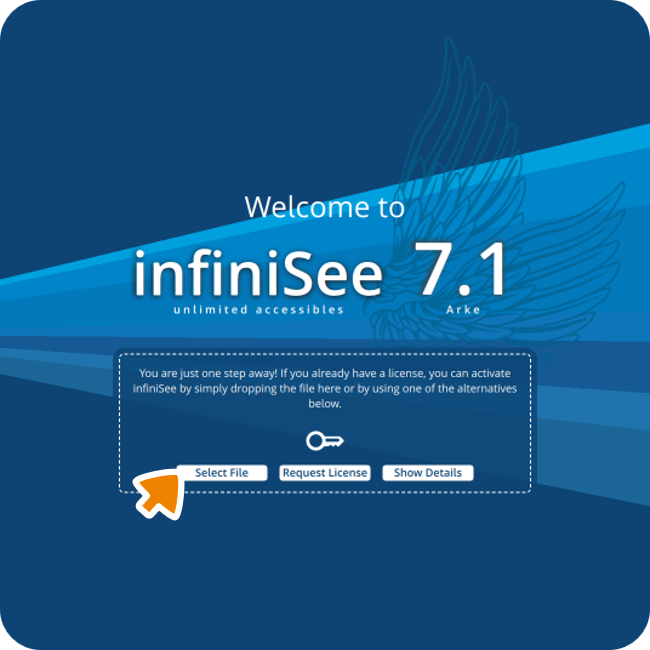
In order to launch SeeSAR, start the application and load your license file into the software by either navigating to the file from the start screen or by dragging and dropping the file into the window.

The license file can be downloaded following this link.

Step 3: Download infiniSee

After the download, install infiniSee on your machine.
Windows, macOS and Linux packages are available.

Step 4: Download the GalaXi and AMBrosia Chemical Spaces

The Space files are required for operating within infiniSee.

Step 5: Activate infiniSee

In order to launch infiniSee, start the application and load your license file into the software by either navigating to the file from the start screen or by drag-and-dropping the file into the infiniSee window.

The license file can be downloaded following this link (same file as the SeeSAR license).

Step 6: Load the Chemical Spaces

Now we need to add the downloaded Chemical Spaces (GalaXi & AMBrosia) as a screening source in infiniSee.

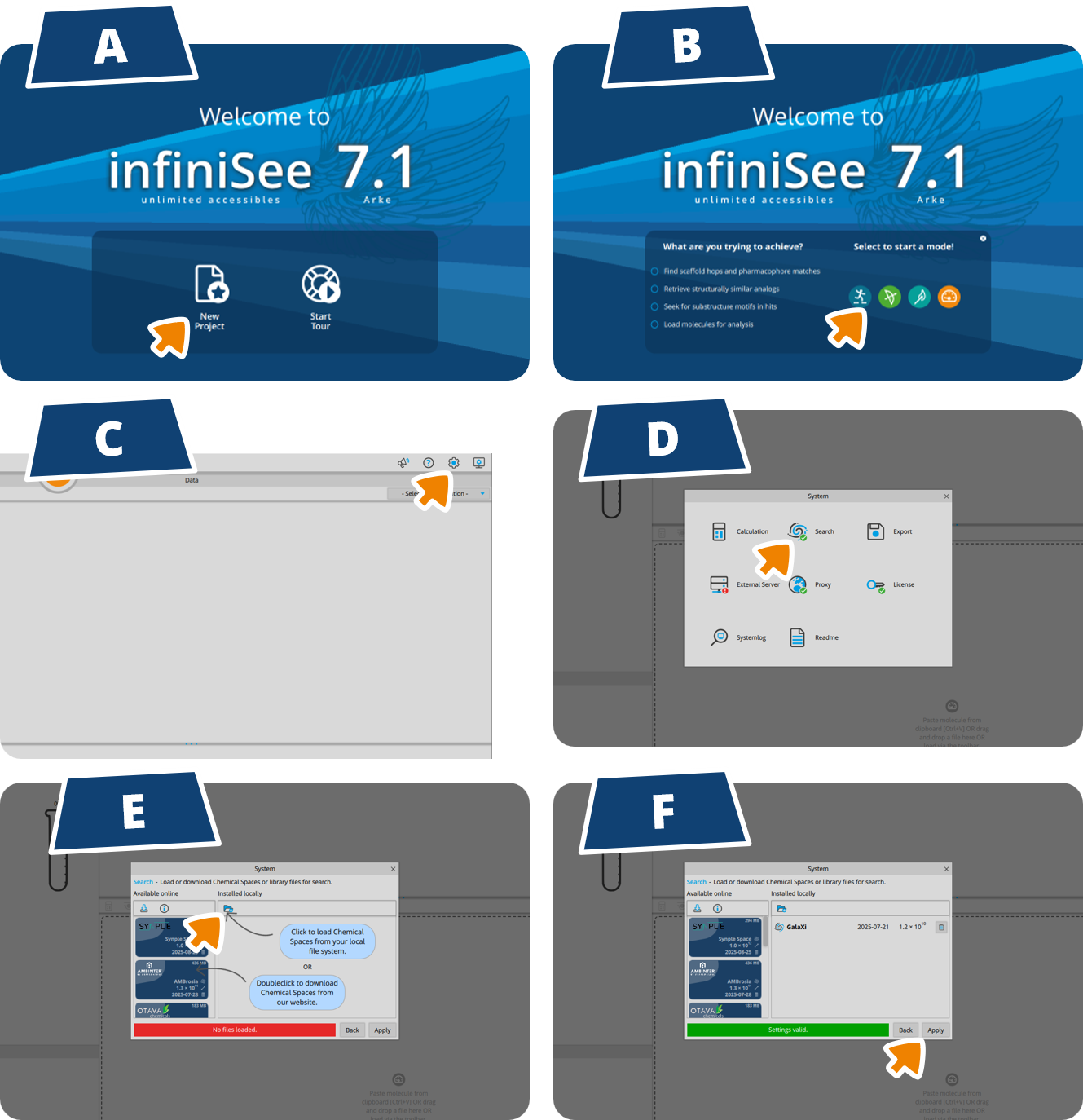
(A) Enter infiniSee with 'New Project' and (B) select any of the modes to enter the interface.

Navigate through (C) 'Settings'(D) 'Search'(E) 'Load Chemical Spaces from your file system'Select the downloaded Chemical Space files in the respective folderConfirm with 'Open'.
Both Spaces will be listed. (F) Confirm with 'Apply'.
That's it! You are all set up for the workshop.

Need some help to set things up?

Want to Explore the Whole BioSolveIT World?

Your license comes with a lot of power and can also be used to access our other tools!